Hey!
A quantity field added to trade posts with the last update, which was really cool. However, I haven't found a way to sell only one unit. If I "Mark trade as sold" the automatic action is to close the trade and it makes it look like all units were sold for the price of a single unit.
Maybe I'm missing something, is there a way to mark a single unit as sold? Or is the counter meant just to track your inventory?
Thanks.
3
replies
2841 views
Description
Hey!
A quantity field added to trade posts with the last update, which was really cool. However, I haven't found a way to sell only one unit. If I "Mark trade as sold" the automatic action is to close the trade and it makes it look like all units were sold for the price of a single unit.
Maybe I'm missing something, is there a way to mark a single unit as sold? Or is the counter meant just to track your inventory?
Thanks.
A quantity field added to trade posts with the last update, which was really cool. However, I haven't found a way to sell only one unit. If I "Mark trade as sold" the automatic action is to close the trade and it makes it look like all units were sold for the price of a single unit.
Maybe I'm missing something, is there a way to mark a single unit as sold? Or is the counter meant just to track your inventory?
Thanks.
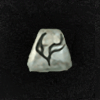
Can be used to make Runewords:






Similar pages




Advertisment
 Hide ads
Greetings stranger!
You don't appear to be logged in...
99
Who is online
Users browsing Forums:  bemoan,
  nihilninja,
  Russell#1990,
  Sogou [Spider] and 86 guests.
No matches


human_being
758