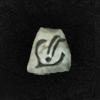
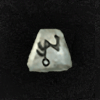
Um (+22) vs Perfect Diamond (+19).
Besides the obvious +3 in res, what is the benefit of using an Um vs a PD to upgrade a shield?
Well, a PDiamond is like 10x cheaper than an Um, so many people prefer to buy other stuff with that Um instead.
A minor diffence is that the PDiamond will make you shield look White on the character screen. Depending on your taste, it might look better or worse.
The color change only appears on single player character screen (at least for uniques, which aren't supposed to change color). I think otherwise if it's a base item it changes color in game and on character screen.
That bug bothers me cuz my single player Harlequin Crest is yellow now
All trades are negotiable within reason Check out my "Free Stuff" tab for...FREE STUFF! I can help with DClone/Ubers/Ancients/Socket Rushes, just ask! Please only add me on bnet if you contact me here first.
Um (+22) vs Perfect Diamond (+19).
Besides the obvious +3 in res, what is the benefit of using an Um vs a PD to upgrade a shield?
Well, a PDiamond is like 10x cheaper than an Um, so many people prefer to buy other stuff with that Um instead.
A minor diffence is that the PDiamond will make you shield look White on the character screen. Depending on your taste, it might look better or worse.
E.g., this is how Whitstan's Guard looks like with a PDiamond.
PDiamond.png
I should clarify a bit...it's not a run-of-the-mill shield. This is a pretty solid rare magic book that I will get Larzuk to put a socket in. The only place it's a bit deficient is in the res area so I really don't mind spending the Um on it. I have several others that I'm saving in case one of the uniques I'm looking for drop.
List trades and earn trust
Level up as you post
Give and Receive Likes
Discreet Notifications
Avatar & Profile customisation
Private Messaging
Bookmark Pages & Posts
Use Drafts & Revisions
Attach Images
Squelches this trader, making their offers on your trades invisible to anyone except themselves. Their trade listings will also be hidden from your marketplace.
Your squelch list can be managed and edited from Top right dropdown > Account Prefs > Squelches.
Rhaegar86
45