I think I did this properly, except I couldn't figure out how to put the jewels into Griswold's Vortex so they are just chilling in the inventory. Please don't banish me for that!
Lol Just click on the Griswold's Honor, then click on one of the open sockets, and pick something to socket into it. But keep in mind that in the dropdown list of socketable items, any jewels that are already socketed into another item will still be selectable and it won't be highlighted in any way.
In this example, the highlighted jewel "Ambergris Jewel of Fervor" is already socketed into an item (a Griffon's Eye), but the dropdown list doesn't say. It does say in the main item list though:
I'm in CET (Central European Time)
My profile says Ladder, but I play bothLadder and Non-Ladder.
My profile says Softcore, but I play bothSoftcore and Hardcore.
My Holy Grail Tracker is for Offline Hardcore.
Holy Grail Death Count: 1
I think I did this properly, except I couldn't figure out how to put the jewels into Griswold's Vortex so they are just chilling in the inventory. Please don't banish me for that!
I think I did this properly, except I couldn't figure out how to put the jewels into Griswold's Vortex so they are just chilling in the inventory. Please don't banish me for that!
Lol Just click on the Griswold's Honor, then click on one of the open sockets, and pick something to socket into it. But keep in mind that in the dropdown list of socketable items, any jewels that are already socketed into another item will still be selectable and it won't be highlighted in any way.
bild.png
bild.png
In this example, the highlighted jewel "Ambergris Jewel of Fervor" is already socketed into an item (a Griffon's Eye), but the dropdown list doesn't say. It does say in the main item list though:
bild.png
Thanks for being so thorough, much love!
I updated the link in my first post to properly reflect the rules RE: inventory. Thanks for doing this.
List trades and earn trust
Level up as you post
Give and Receive Likes
Discreet Notifications
Avatar & Profile customisation
Private Messaging
Bookmark Pages & Posts
Use Drafts & Revisions
Attach Images
Squelches this trader, making their offers on your trades invisible to anyone except themselves. Their trade listings will also be hidden from your marketplace.
Your squelch list can be managed and edited from Top right dropdown > Account Prefs > Squelches.

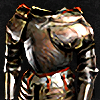
 Just click on the Griswold's Honor, then click on one of the open sockets, and pick something to socket into it. But keep in mind that in the dropdown list of socketable items, any jewels that are already socketed into another item will still be selectable and it won't be highlighted in any way.

















 Good luck all!




 alps
alps Beefius
 breakyobaals
 DotNetDotCom.org [Bot]
 dx125
dx125 Flyhorse
 fredkid
 gornugon
 illdizposed
 Leczymorda
 mattmgs
 NaglFarfar
 NITRIC
 phirren
 Schnorki
 sh3ll
sh3ll silv3r
 Slow_reaver
 SohaiKids
 TheHemlock
 TheHoneyBear

ShadowHeart
5866Moderator