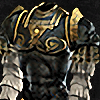
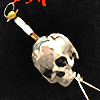
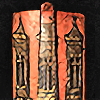
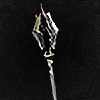
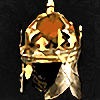
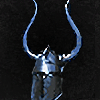
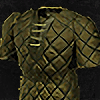
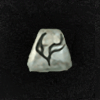
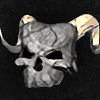
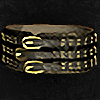
Haha sorry for that my first time post a picture, kept saying image to large ,,
Yeah I hate when that happens. I cant take full screen screenshots about d2r and upload it here as it says its too large image. Not sure if its the size of the file or size of the image or what as Ive seen people post full screen pictures.
Well, you can tag "trades" as Free (under Qualities). There's several members who do giveaways of free items via the trades section. It goes a bit under the radar since unless you actually look at the list of Free listings, you wouldn't know. There's at least one member who's given away hundreds of free items that way (the same person has also donated a bunch of stuff to my own giveaways). There's currently over 200 free trade listings (includes all platforms and game modes), for all kinds of stuff. And yes, this should have been a Free "trade" too
Also - Teebling had to cut the image size limit a couple months ago due to storage limitations on the server.
I'm assuming people who post full screenshots shrink them in some image editor first (i.e., you can paste them into Paint first, shrink to X%, then copy and paste the result into diablo2.io), or take screenshots of the game in windowed mode. But this doesn't really help the OP either way as he's on PlayStation and getting screenshots from console onto a website is... cumbersome at best (hence why he took a photo, I guess).
I'm in CET (Central European Time), so that's UTC+1 normally and UTC+2 during DST.
My profile says Ladder, but I play bothLadder and Non-Ladder.
My profile says Softcore, but I play bothSoftcore and Hardcore.
My Holy Grail Tracker is for Offline Hardcore.
Yeah I just hit the printscreen button and it lets me cut what ever section needed for screenshot. Windows tool of some kind.
Seems to just make large sized files I suppose.
Perhaps OP wanted some kind of conversation about the items aswell going on for it and did not know there is comment section where the offers are normally left.
List trades and earn trust
Level up as you post
Give and Receive Likes
Discreet Notifications
Avatar & Profile customisation
Private Messaging
Bookmark Pages & Posts
Use Drafts & Revisions
Attach Images
Squelches this trader, making their offers on your trades invisible to anyone except themselves. Their trade listings will also be hidden from your marketplace.
Your squelch list can be managed and edited from Top right dropdown > Account Prefs > Squelches.
britishwolf
7