Do your mules have an anni each? didnt think so... THEY SEE ME BALLIN loljustinman114 wrote: 19 hours agoYou can just put all of them on a shared stash tab instead of muling each one, unless you're doing that on purposeSten0ne wrote: 19 hours agosweet got another one16/10/7
soon all my mules can have their own anni each lol
3810
replies
801356 views
Description
Description by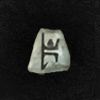 Bisu
Bisu
Can be used to make Runewords:











 thanks!

Similar pages
-
-
-
Fastest cow run on record?
by » » in Forums
-
-
-
-
-






Advertisment
 Hide ads
Greetings stranger!
You don't appear to be logged in...
99
Who is online
Users browsing Forums:  Ahrefs [Bot],
  Alune, Bing [Bot],
  Bobfromwork,
  Camomssa,
  CrowbarSpine,
  Dako,
Dako,  dejavue,
  flashofdarkness,
  GingerBeefcake, Google Feedfetcher,
  grospainmou, Halbu,
  HaveANiceDay,
  Koedpingvin,
  krathkor,
  MegaWai,
  Metalvision88,
  mhlg,
mhlg,  Obrzyn,
  Sahansral,
  ShadowHeart,
  StealthRAM,
  surekreal,
  TeleTabitha,
  Turec230,
  Uknowitstyke,
  varangium,
  xalazar,
  xanderva and 344 guests.
No matches


Sten0ne
52