Some textures look worse after reinstalling the game
No data yet
2
Description
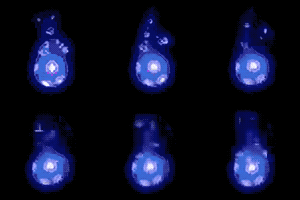
I rebuilded my PC recently, and after installing the game noticed that skill icon textures look way worse than before. Compare Bone Armor icons on the screenshots and you will see the difference. 2nd one looks like a bad copy from temu. Interface buttons and item icons also look uglier than before. I tried to change different settings, updated drivers but nothing helped. Any ideas how to fix it?
I rebuilded my PC recently, and after installing the game noticed that skill icon textures look way worse than before. Compare Bone Armor icons on the screenshots and you will see the difference. 2nd one looks like a bad copy from temu. Interface buttons and item icons also look uglier than before. I tried to change different settings, updated drivers but nothing helped. Any ideas how to fix it?
Overconfidence is a slow and insidious killer.
GMT+2, I'm usually available for trades between 6:00-10:00 PM.
I play SC and HC, please check twice before adding me or making an offer, thank you.
What Anti-Aliasing Mode are you using (in the Video Settings of the game)? Have you tried different modes already?
I use SMAA
After a 20 year break from D2 I started playing D2R in 2024 with my sons (9 and 10 years old)
Time Zone: UTC/GMT +1/+2 (Germany)
Online workdays: casually from 07:00-09:00 pm
Online weekends: casually midday to evening
Non-Ladder | Softcore | Expansion
What Anti-Aliasing Mode are you using (in the Video Settings of the game)? Have you tried different modes already?
I use SMAA
TAA. I tried FXAA and SMAA, no difference
Have you tried restarting the game after every change, too?
From which vendor is your graphics card?
After a 20 year break from D2 I started playing D2R in 2024 with my sons (9 and 10 years old)
Time Zone: UTC/GMT +1/+2 (Germany)
Online workdays: casually from 07:00-09:00 pm
Online weekends: casually midday to evening
Non-Ladder | Softcore | Expansion
What Anti-Aliasing Mode are you using (in the Video Settings of the game)? Have you tried different modes already?
I use SMAA
TAA. I tried FXAA and SMAA, no difference
Have you tried restarting the game after every change, too?
From which vendor is your graphics card?
No, usually changes are visible without restarting. My current graphics card is Asus geforce rtx 4060. Previous was 1050 ti and it had better picture despite the lower settings. Maybe there's some setting in nvidia control panel that conflicts with ingame settings?
Overconfidence is a slow and insidious killer.
GMT+2, I'm usually available for trades between 6:00-10:00 PM.
I play SC and HC, please check twice before adding me or making an offer, thank you.
Have you tried restarting the game after every change, too?
From which vendor is your graphics card?
No, usually changes are visible without restarting. My current graphics card is Asus geforce rtx 4060. Previous was 1050 ti and it had better picture despite the lower settings. Maybe there's some setting in nvidia control panel that conflicts with ingame settings?
Yes, they should My next advice would have been to check if there are any global settings in the driver panel which might override the ingame settings.
I have a 4070 but did not update the drivers for some time now...
After a 20 year break from D2 I started playing D2R in 2024 with my sons (9 and 10 years old)
Time Zone: UTC/GMT +1/+2 (Germany)
Online workdays: casually from 07:00-09:00 pm
Online weekends: casually midday to evening
Non-Ladder | Softcore | Expansion
Options to check, that comes to my mind are:
resolution - best the same as monitor
resolution scale - 100
sharpening
texture quality
anisotropic filtering
antialliasing
dynamis resolution scaling - off
Apart from double-checking the in-game settings (including sharpening and the like), considering your new card is a GeForce, are you using the NVidia app or just the NVidia control panel?
In either case, check through the default settings there. But especially in the case of the app (panel shouldn't interfere really), see if that ended up setting anything D2:R-specific, especially related to upscaling and the like.
What's a bit odd as well (just comparing to my game appearance) is that both of your screens actually look kinda crap. No offense meant but what resolution are you running at? And did you treat/rescale those screenshots somehow beyond just a flat crop, before posting them here?
The second is obviously too jagged. But beyond that, your first one is too far on the blurry/over-softened side. Skill icons especially really should be cleaner than either one of those.
Random bonus thought: Are you running in windowed mode? Perhaps that for some reasons drops quality. Never tried.
Apart from double-checking the in-game settings (including sharpening and the like), considering your new card is a GeForce, are you using the NVidia app or just the NVidia control panel?
In either case, check through the default settings there. But especially in the case of the app (panel shouldn't interfere really), see if that ended up setting anything D2:R-specific, especially related to upscaling and the like.
What's a bit odd as well (just comparing to my game appearance) is that both of your screens actually look kinda crap. No offense meant but what resolution are you running at? And did you treat/rescale those screenshots somehow beyond just a flat crop, before posting them here?
The second is obviously too jagged. But beyond that, your first one is too far on the blurry/over-softened side. Skill icons especially really should be cleaner than either one of those.
Random bonus thought: Are you running in windowed mode? Perhaps that for some reasons drops quality. Never tried.
I'm using an old 1360x768 monitor. I have the Nvidia app, but the problem existed even before I installed it. I turned off upscaling because it messed graphics quality. I haven't touched sharpening.
Overconfidence is a slow and insidious killer.
GMT+2, I'm usually available for trades between 6:00-10:00 PM.
I play SC and HC, please check twice before adding me or making an offer, thank you.
Just play around with each of the graphics settings one by one, see if any of them change it. If not, set back to default/previous value and try the next setting.
There are seemingly obvious best first guesses as to what it may be (including sharpening in this case I would say) but every once in a while, visual "weirdness" and sub-par quality ends up being caused by something you'd not necessarily have guessed. So just check everything, to be sure.
Best case, that solves your problem.
Worst case, it doesn't and you've merely wasted a bit of time.
List trades and earn trust
Level up as you post
Give and Receive Likes
Discreet Notifications
Avatar & Profile customisation
Private Messaging
Bookmark Pages & Posts
Use Drafts & Revisions
Attach Images
Squelches this trader, making their offers on your trades invisible to anyone except themselves. Their trade listings will also be hidden from your marketplace.
Your squelch list can be managed and edited from Top right dropdown > Account Prefs > Squelches.




 My next advice would have been to check if there are any global settings in the driver panel which might override the ingame settings.





 Hide ads
 addi_0112,
  Bisu,
Bisu,  digitalX,
  HaveANiceDay,
  NaglFarfar,
  NastyBeggar,
  rd0,
rd0,  Sardinkas,
  TheDoubleBak,
  Trang Oul,
  used_bandaid and 104 guests.

Morder07
108